Smarter Hiring &
Career Tools Powered by AI
Ideal for recruiters, HR teams, and job seekers. Get a first draft for job descriptions, interviews, pay, skill gaps, or career plans.
From Job Descriptions to Salary Benchmarking - everything in one place.
Summary
TestnHire tools are free AI utilities for recruiters, HR teams, and job seekers. Use them to write job descriptions, plan interviews, benchmark pay, estimate hiring cost, and spot skill gaps. When you are ready to hire, move on to skill assessments.
Smarter Hiring & Career Tools
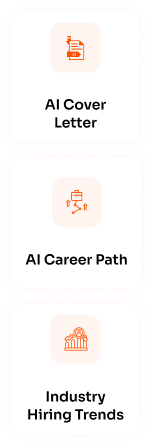
AI Cover Letter
Draft a tailored cover letter from a role and resume so candidates can apply faster with clearer, job-specific wording.
Job Description Generator
Create a clear job description with duties, required skills, and hiring criteria. Post it or attach it to an assessment.

Interview Questions
Generate structured, role-based interview questions so hiring managers ask consistent, skill-focused questions after assessments.
AI Career Path
Map possible next roles from current skills and experience, plus the learning steps that typically get someone there.
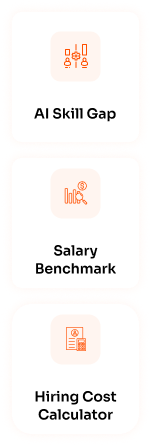
AI Skill Gap
Compare current skills with a target job. See what is missing and what to assess or train first.
Salary Benchmark
Review industry and role salary ranges so offers stay competitive and hiring budgets are set with market context.
Hiring Cost Calculator
Estimate total cost-to-hire, including advertising, assessments, interviews, and onboarding, before you open a requisition.

Industry Hiring Trends
See demand and hiring-pattern insights by industry so workforce plans reflect current market movement, not last year’s assumptions.
Skill Trend Predictor
Spot skills that are rising in demand. Hire, upskill, or update job requirements before the market moves.
How It Works
Using our tools is easy. Select the tool you need, enter your inputs, and get smart results
instantly. No extra steps. No hassle.
Select the Tool You Need
Whether you're writing a JD, checking salary trends, or planning interviews — pick the tool that fits your task.
Add Role Details
Fill in a few quick details like job title, skills, or experience level — we keep it short and simple.
See Results Instantly
Our AI gets to work in real-time — giving you accurate, ready-to-use outputs in seconds.
AI Tools Designed for People Who Hire,
Grow, and Lead
Build teams or build your career with our suite of tools.
Move faster, make better decisions, and stay future-ready.

Recruiters
Hire faster with clearer role briefs
Create job descriptions, generate interview questions, benchmark salaries, and predict hiring trends — all in minutes.

Job Seekers
Plan Your Career with Confidence
Build cover letters, explore career paths, identify skill gaps, and discover future-demand skills to stay ahead of the curve.

HR Teams
Data-Driven Talent Strategies
Streamline hiring processes, reduce manual effort, and make better workforce decisions with AI-powered tools your whole team can use.
A complete hub for hiring and career work
What these tools are for
The TestnHire tools hub is a set of free, AI-assisted utilities for the work around hiring. That means defining a role, preparing interviews, pricing an offer, and understanding skills. Each tool produces a usable draft you can edit. It is never a black-box answer you cannot explain to a hiring manager.
Recruiters use the hub to write job descriptions, generate interview questions, and estimate cost-to-hire before they launch a requisition. Job seekers use the same suite to draft cover letters, explore career paths, and see which skills they still need. HR and people teams use salary, trend, and skill-gap tools to plan workforce decisions with more than gut feel.
The hub sits next to the TestnHire assessment platform. Use a tool and take the output into a live job or interview. When you need proof of job-ready ability, invite candidates to a skill test from the test library.
How the tools fit a hiring workflow
A typical employer flow starts with the Job Description Generator to lock responsibilities and must-have skills. The Skill Gap Analyzer then shows which of those skills are hardest to find internally. Interview Questions turns the same role into a structured interview guide. Salary Benchmarking and the Hiring Cost Calculator help you set a budget and offer range before you post.
When you are ready to evaluate candidates, use TestnHire skill assessments. They measure job-ready ability against the role instead of relying on resumes. The tools do not replace assessments. They help you define the role clearly, so the tests and interviews that follow are fairer and faster.
Campus and high-volume teams often run the same sequence at scale. They write one JD and generate one interview set. Then they attach the same assessment to every invite, so every applicant is scored on the same skills.
When to use each category
Use writing tools (job description, interview questions, cover letter) when you need a first draft you can share in minutes. Use planning tools (career path, skill gap) when you are deciding what to hire or what to learn next. Use market tools (salary benchmark, hiring cost, industry trends, skill trend predictor) before you commit budget. They give you numbers and demand signals.
You can run any tool on its own. You do not need a paid TestnHire plan to generate a draft. Paid plans apply when you invite candidates to assessments, buy connects, and use the full employer platform.
What you should edit before you publish
Treat every AI result as a first draft. Add company-specific duties, location, benefits, and compliance language before you post a job. For interview questions, drop items that do not match the role and add follow-ups your hiring managers actually use.
Salary and trend figures are directional market insights, not a guaranteed quote for every city or level. Confirm local labor rules, internal bands, and finance approval before you send an offer. Cover letters and career paths should be checked against the real resume and the target job.
Tool catalog
- Job Description Generator: Write a role-ready job description with responsibilities, required skills, and hiring criteria. Use it when you are opening a requisition or attaching a TestnHire assessment to a posting. Edit the draft for tone, seniority, and legal language before you publish.
- AI Interview Questions: Generate structured, role-based interview questions so every hiring manager asks about the same skills. Best used after a skills assessment, when you already know who cleared the must-have bar and want a consistent interview.
- AI Cover Letter: Draft a cover letter from a role and resume so candidates can apply faster with job-specific wording. Job seekers should still personalize examples and proofread before they send.
- AI Career Path: Map possible next roles from current skills and experience, plus typical learning steps. Useful for candidates planning a move and for L&D teams explaining internal mobility.
- AI Skill Gap: Compare existing skills with a target job to see what is missing. Recruiters use it to decide what to assess; employees and candidates use it to decide what to learn first.
- Salary Benchmark: Review industry and role salary context before you set an offer or hiring budget. Pair it with internal bands and location data. Figures are a starting point, not a final compensation decision.
- Hiring Cost Calculator: Estimate total cost-to-hire, including advertising, assessments, interviews, and onboarding, before you open a role. TA and finance teams use it to compare make-versus-hire spend.
- Industry Hiring Trends: See demand and hiring-pattern insights by industry so workforce plans reflect current movement, not last year’s assumptions. Use it when you are planning headcount or rewriting a hiring forecast.
- Skill Trend Predictor: Spot skills that are rising in demand. Then hire, upskill, or update job requirements before the market moves. Combine it with the skill-gap tool when you are building a training plan.
Frequently Asked Questions (FAQs)

Are TestnHire tools free to use?
Yes. The tools on this page are free to try. You enter a role or a few details and receive a draft or estimate. You only need a paid TestnHire plan for candidate skill assessments or inviting applicants at scale. It also unlocks employer workspace features such as team seats and connect packs.
Who should use these hiring and career tools?
Recruiters and hiring managers use them to write JDs, prepare interviews, and budget a hire. HR and TA leaders use salary, cost, and trend tools for workforce planning. Job seekers use cover letter, career path, and skill-gap tools to prepare applications and decide what to learn next.
Do I need an account to generate results?
You can open any tool from this hub and start with the fields on that page. Some tools offer a shareable result link after generation. Creating an employer account is recommended if you want to save work and continue into assessments on TestnHire.
How do these tools connect to TestnHire assessments?
The job description and skill-gap tools help you define the skills a role actually needs. You can then match those skills to TestnHire assessments from the test library, invite candidates, and review scorecards. Interview-question output is meant to follow assessments so you interview the people who already showed job-ready ability.
Are the AI outputs ready to publish without edits?
Treat every result as a strong first draft. Check company-specific duties, compliance language, salary bands, and local labor rules before you post a job or send an offer. Market figures in salary and trend tools are directional insights, not a guaranteed quote for every city or level.
Trusted By 300+ Companies Who hire with TestnHire